

Stable Diffusion Local Installation Guide With ControlNet
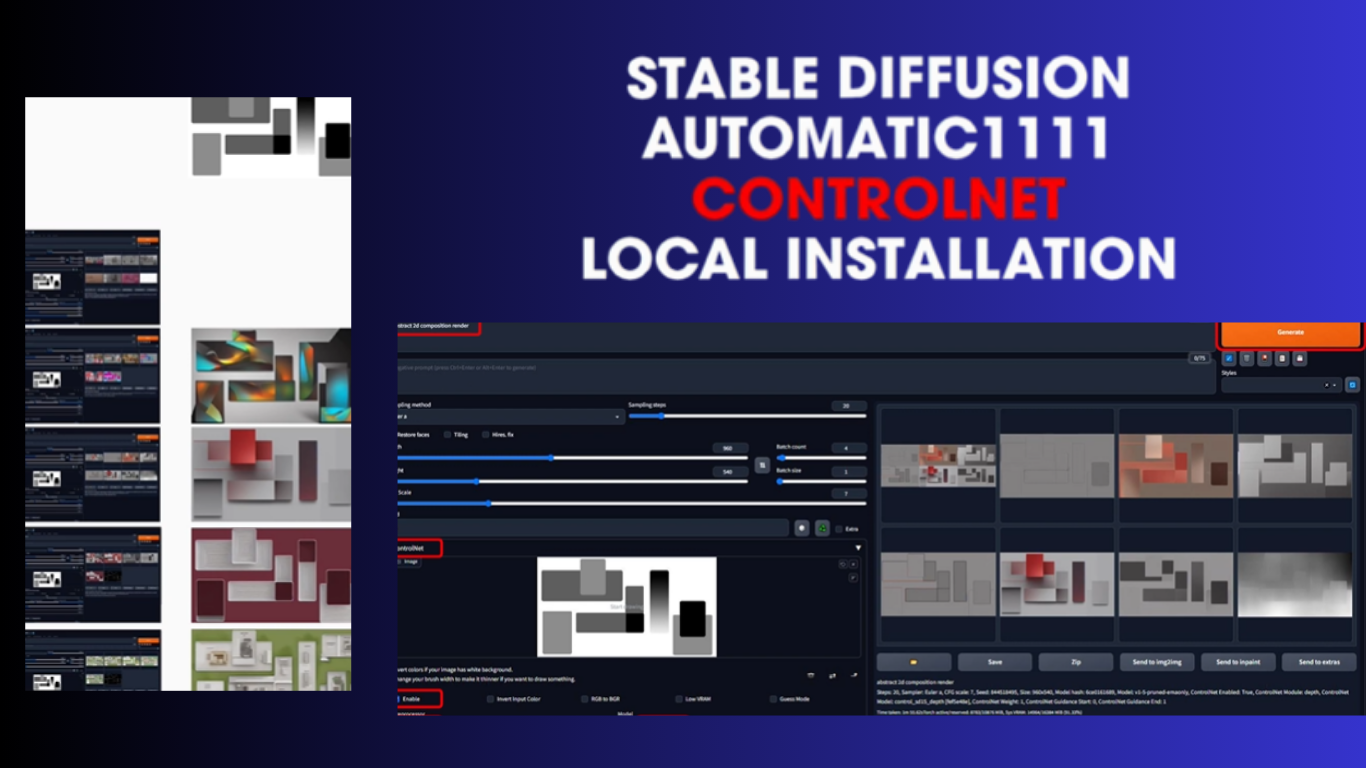
Artificial intelligence is changing visual creativity faster than most people expected, and this Stable Diffusion Local Installation Guide explains how anyone can build a powerful offline AI image generation setup directly on their computer while gaining complete creative freedom through advanced tools like ControlNet.
Stable Diffusion Local Installation and ControlNet Guide
Artificial intelligence has completely changed how digital images are created today. A few years ago, generating professional artwork required expensive software, years of practice, and powerful design experience. Now, tools like Stable Diffusion have made visual creation accessible to almost everyone. What makes this platform different from cloud-based AI tools is the level of freedom it offers. You are not limited by subscriptions, daily credits, or internet restrictions. Everything runs directly on your own computer.
This is exactly why local installation has become so popular among creators, designers, YouTubers, marketers, and even small businesses. You control the models, settings, styles, and workflows without depending on third-party platforms. That flexibility becomes extremely important when projects require privacy, speed, or unlimited image generation.
At Worldstan, we believe the future of AI creativity belongs to people who understand the technology deeply instead of depending only on ready-made online tools. Local AI workflows provide that freedom. Once you understand the installation process and learn how ControlNet works, the entire experience changes from casual experimentation into professional production.
Why Stable Diffusion Became So Popular
The biggest reason behind the popularity of Stable Diffusion is simple. It gives users complete ownership over AI image generation. Many online AI tools produce excellent visuals, but they usually limit creativity through subscriptions, censorship systems, or restricted customization. Stable Diffusion removes those limitations.
People now use it for YouTube thumbnails, game concepts, product photography, anime art, fashion design, architecture previews, cinematic posters, social media content, and advertising campaigns. The possibilities continue expanding every month because developers constantly release new models and extensions.
One thing I personally appreciate is how quickly the community improves the ecosystem. New checkpoints, optimization tools, realistic models, and workflow systems appear almost daily. That active development keeps Stable Diffusion ahead of many competitors in practical use cases.
Another major advantage is offline functionality. After installation, constant internet access is no longer necessary.
Many creators prefer this because private projects stay on local machines instead of external servers.
Understanding Local Installation Before Starting
Many beginners think local installation is highly technical, but the reality is much easier today. Modern installation tools automate most of the complicated tasks.
The first thing you need is a computer with a dedicated GPU. NVIDIA graphics cards work best because CUDA acceleration significantly improves performance. While Stable Diffusion can run on weaker systems, better hardware creates a smoother experience.
Recommended requirements usually include:
8GB VRAM minimum,
16GB RAM,
Modern NVIDIA GPU,
Windows 10 or Windows 11,
At least 20GB free storage,
Higher specifications improve rendering speed dramatically. A powerful RTX GPU can generate detailed images within seconds.
The second important thing is choosing the correct interface. Most users install Automatic1111 because it offers excellent flexibility, extensions, and community support.
Installing Python and Git
Before installing Stable Diffusion itself, two essential tools are required. Python handles AI dependencies, while Git downloads repository files.
The safest approach is downloading Python directly from the official website. During installation, make sure the “Add Python to PATH” option is enabled. Missing this step creates problems later.
Git installation is straightforward. Default settings usually work perfectly for beginners.
Many installation failures happen because users skip small setup steps too quickly. Taking extra time during preparation saves hours later.
Installing Automatic1111 WebUI
Automatic1111 remains the most widely used Stable Diffusion interface today because it combines beginner simplicity with professional-level control.
The installation process normally involves cloning the repository into a chosen folder. After downloading, launching the webui-user.bat file automatically installs required dependencies.
The first startup takes time because the system downloads AI libraries and processing files. Some people panic during this phase, thinking the installation froze. In reality, patience is usually the solution.
Once installation finishes, the browser opens a local interface where prompts, settings, models, and image tools become available.
This is the moment where most users finally realize the true power of local AI generation.
Choosing the Right Stable Diffusion Model
Stable Diffusion itself is only the engine. The visual quality depends heavily on the model you choose.
Some models focus on realism. Others specialize in anime, cinematic lighting, fantasy art, photography, architecture, or digital painting.
Popular options today include SDXL models because they produce higher detail and improved prompt understanding compared to earlier versions.
I usually recommend beginners start with balanced realistic models because they help users understand prompt behavior more clearly before experimenting with artistic styles.
Storage management also becomes important over time. Many creators eventually collect hundreds of gigabytes of models because each checkpoint produces different visual characteristics.
Understanding Prompts and Negative Prompts
Prompts are the instructions given to the AI. Better prompts produce better results.
Simple prompts can work surprisingly well, but detailed descriptions often create more consistent outputs. Lighting, camera angles, emotions, clothing, weather, textures, and environments all influence image generation.
Negative prompts are equally important. They tell the AI what to avoid. Common negative prompts remove blurry faces, extra limbs, distorted anatomy, low quality textures, and unrealistic details.
One practical lesson many beginners discover late is this: quality prompting is more about clarity than complexity.
Overloading prompts with random keywords usually damages consistency instead of improving it.
What Makes ControlNet Revolutionary
ControlNet changed Stable Diffusion workflows completely because it introduced structured control into image generation.
Before ControlNet, AI outputs often felt unpredictable. You could describe a pose or composition, but results varied heavily.
ControlNet solved this problem by letting users guide AI generation using pose maps, edge detection, depth information, sketches, and reference images.
This transformed Stable Diffusion from a creative experiment into a serious production tool.
For example, designers can now maintain character poses consistently across multiple scenes. Filmmakers use ControlNet for storyboard development. Fashion creators test clothing concepts on controlled body positions.
That level of control is why ControlNet became one of the most important AI innovations in creative workflows.
Installing ControlNet Extension
Installing ControlNet inside Automatic1111 is surprisingly easy today.
Users simply open the Extensions tab, install the ControlNet repository URL, and restart the interface.
After installation, additional model files must be downloaded separately. These models handle different control methods such as:
OpenPose,
Canny Edge,
Depth Mapping,
Line Art,
Scribble,
Normal Maps,
Each model specializes in specific image guidance tasks.
The OpenPose model remains extremely popular because it allows full-body pose control using skeletal positioning references.
How OpenPose Works in Real Projects
OpenPose is one of the most practical ControlNet tools available.
Instead of relying purely on text prompts, users provide a pose structure image. The AI then follows that pose while generating new characters or scenes.
This becomes incredibly useful for comic artists, animation planning, YouTube thumbnails, fitness visuals, and cinematic storytelling.
Imagine needing a character standing dramatically with one arm raised under rainy lighting conditions. Without ControlNet, achieving consistency might require dozens of generations. With OpenPose, the structure remains controlled from the beginning.
This saves time and reduces creative frustration.
Using Canny Edge Detection
Canny Edge detection focuses on structural outlines.
The AI reads edges from a reference image and preserves composition while changing visual style. This is especially valuable for architecture, interior design, product concepts, and environment generation.
One practical advantage I noticed personally is how useful Canny becomes during redesign projects. Instead of rebuilding layouts manually, users can preserve structure while experimenting creatively.
That workflow dramatically speeds up concept iteration.
Understanding Depth Maps
Depth ControlNet models analyze spatial information inside images.
Foreground objects remain separated from background layers, which helps AI understand scene structure more naturally.
This produces better perspective consistency and more cinematic realism.
Depth workflows are especially powerful for landscape generation, environment design, and realistic photography simulations.
Many advanced creators combine depth maps with realistic SDXL models to achieve near-photographic image quality.
Best Stable Diffusion Settings for Beginners
New users often feel overwhelmed by settings, but a few adjustments matter most.
Sampling methods influence detail quality and rendering speed. Euler and DPM++ samplers are common starting points.
CFG Scale controls prompt adherence. Extremely high values may create unnatural images, while lower values provide more artistic freedom.
Resolution also matters significantly. Starting around 512×768 or 768×1024 usually balances quality and performance well.
Another important factor is batch generation. Creating multiple variations simultaneously helps identify stronger results quickly.
Beginners should focus more on learning workflows than obsessing over technical perfection immediately.
Improving Performance and Speed
Stable Diffusion performance depends heavily on optimization.
VRAM management becomes critical for lower-end GPUs. Features like xformers and memory-efficient attention reduce crashes while improving generation speed.
Model organization also improves workflow efficiency. Keeping checkpoints, LoRAs, embeddings, and ControlNet models structured prevents confusion later.
One overlooked strategy is prompt testing discipline. Many users waste hours randomly changing dozens of settings at once. Controlled experimentation creates faster learning.
At Worldstan, we strongly encourage practical workflow building instead of endless technical tweaking.
Real-World Uses of Stable Diffusion and ControlNet
The technology is already impacting multiple industries.
Marketing agencies generate ad visuals faster.
YouTubers create thumbnails instantly.
Game developers prototype environments rapidly.
Fashion designers test clothing concepts.
Architects visualize interiors.
Educators create learning illustrations.
Small businesses produce affordable branding content.
Even independent creators now compete with larger studios because AI dramatically reduces production costs.
This accessibility represents one of the biggest creative shifts of the modern digital era.
Common Problems Beginners Face
Installation errors frustrate many first-time users.
Usually, problems involve outdated GPU drivers, incorrect Python versions, missing dependencies, or insufficient VRAM.
The solution is often simpler than expected. Carefully following official documentation prevents most issues.
Another common mistake is downloading too many models immediately. Beginners should first master one workflow before expanding their toolkit.
Storage overload becomes a serious issue surprisingly quickly.
Ethical Considerations and Responsible Usage
AI image generation also raises important ethical discussions.
Creators should avoid misleading visual manipulation, copyright abuse, or harmful impersonation practices.
Responsible AI usage protects both creators and audiences.
Personally, I believe the best approach is transparency. AI should enhance creativity instead of replacing authenticity completely.
Human imagination still drives the direction. AI simply accelerates execution.
The Future of Stable Diffusion
The pace of AI development is accelerating rapidly.
Future versions will likely improve realism, animation, video generation, character consistency, and workflow automation even further.
ControlNet itself may evolve into fully interactive scene direction systems where creators manipulate lighting, movement, expressions, and camera angles dynamically.
What interests me most is not automation by itself.
It is accessibility. People with strong ideas but limited technical skills can now create visuals that previously required large production teams.
That shift is transforming digital creativity globally.
Final Thoughts on Building Your AI Workflow
Stable Diffusion local installation may seem intimidating at first, but once everything is running smoothly, the creative freedom becomes extraordinary.
You gain full control over models, prompts, workflows, and output quality without relying on cloud restrictions. ControlNet pushes this even further by introducing structure and predictability into AI generation.
The combination of local AI generation and advanced control systems is not just another tech trend. It is becoming a serious creative infrastructure for modern content production.
Worldstan believes creators who learn these workflows today will hold a major advantage in tomorrow’s digital landscape because understanding the tools deeply creates opportunities that casual users often miss.
Conclusion
Stable Diffusion and ControlNet together represent one of the most powerful creative systems available today. What once required expensive studios, complex software, and professional production pipelines can now happen directly on a personal computer.
The ability to generate high-quality visuals offline while controlling composition, structure, and artistic direction gives creators an entirely new level of freedom. As AI technology continues evolving, people who invest time in learning practical workflows today will likely shape the next generation of digital creativity.
This is why mastering local Stable Diffusion installation is no longer just a hobby for tech enthusiasts. It is rapidly becoming a valuable skill for creators, businesses, marketers, and visual storytellers everywhere.