

Microsoft Teams Guide AI Features, Benefits and Business Use
If you want a complete understanding of Microsoft Teams and how it is changing modern workplaces, this guide will walk you through its AI features, business benefits, communication tools, security concerns, and practical uses that help organizations work faster and smarter every day.
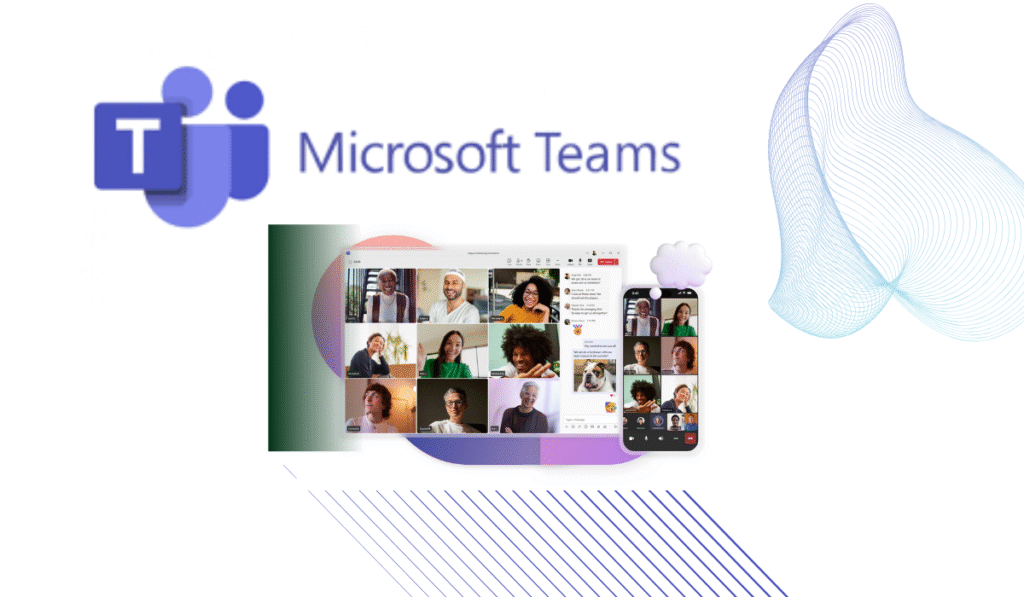
Microsoft Teams Complete Guide to AI Features, Business Benefits and Workplace Collaboration
Introduction
Modern workplaces no longer operate the same way they did a few years ago. Employees are no longer limited to office buildings because businesses now function across different cities, countries, and time zones. This shift has created a huge demand for platforms that can keep everyone connected while maintaining productivity and security. Microsoft Teams has become one of the leading solutions that businesses depend on every day. It is far more than a simple video calling application because it combines communication, meetings, document sharing, artificial intelligence, and project management into one digital workspace. In this complete guide by worldstan.com, you will discover how Microsoft Teams works, its AI capabilities, business advantages, security measures, and why it continues to shape the future of modern workplaces around the world.
What is Microsoft Teams
Microsoft Teams is a cloud based workplace collaboration platform developed by Microsoft and officially introduced in 2017. It was designed to simplify the way people communicate and work together. Instead of switching between multiple applications throughout the day, employees can manage almost every professional activity from one place.
Today, millions of organizations, educational institutions, and government departments rely on Teams because it brings conversations, meetings, file sharing, and project coordination together under a single platform. Whether an employee is working from an office desk, from home, or while traveling, Teams ensures that everyone remains connected without disrupting productivity.
One reason behind its popularity is its ability to integrate naturally with other Microsoft services. Businesses that rely on Microsoft 365 can integrate Teams while keeping their existing work processes unchanged. This convenience has helped the platform become one of the most important digital workplace solutions globally.
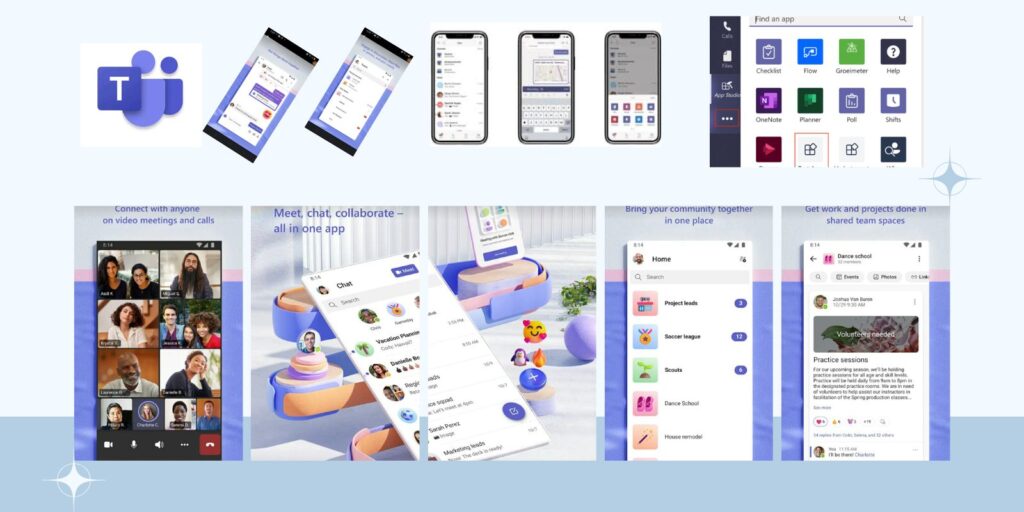
How Did Microsoft Teams Begin
The journey of Microsoft Teams started long before its official launch. In 2007, Microsoft acquired a company called Parlano to strengthen its group communication capabilities. This acquisition laid the foundation for future collaboration technologies.
Several years later, Microsoft considered purchasing Slack for billions of dollars. However, company leaders decided it would be more beneficial to build their own platform instead of acquiring an existing competitor.
The idea slowly transformed into Microsoft Teams, and the platform was officially unveiled in New York during November 2016 before its global release in March 2017.
Since then, Teams has grown rapidly by introducing educational tools, free plans, guest access, and advanced business solutions. The COVID 19 pandemic accelerated its expansion even further because millions of employees worldwide suddenly needed remote working tools.
Organizations that previously depended entirely on physical offices were forced to adopt digital collaboration, and Microsoft Teams quickly became one of their primary solutions.
Why Has Microsoft Teams Become So Popular
The answer is surprisingly simple. Businesses want efficiency.
Employees often waste valuable time switching between applications to send emails, join meetings, share files, and manage projects. Microsoft Teams removes this complexity by centralizing these activities.
Everything happens in one environment, which saves time and reduces distractions.
Businesses also appreciate that Teams can support both small startups and large multinational corporations. Regardless of company size, employees can communicate instantly and collaborate effectively.
Another major advantage is flexibility. Employees can continue working regardless of where they are located. This flexibility has become one of the biggest priorities in modern workplaces.
How Does Microsoft Teams Work
Microsoft Teams operates through cloud technology, meaning users can access their workspaces from almost any device connected to the internet.
After logging in, employees join their organization’s workspace where different departments are organized into channels. These channels help keep projects and conversations structured.
For example, a marketing department may have one channel dedicated to advertising campaigns, while the finance department may have another channel focused entirely on budgeting discussions.
Without leaving the platform, employees can communicate, upload files, schedule meetings, and manage tasks efficiently.
One feature many people appreciate is real time synchronization. If someone edits a document, every authorized team member can instantly see the updates.
This creates a smoother collaborative experience because there is no confusion over outdated versions of files.
What Makes Microsoft Teams Different From Other Collaboration Platforms
Many communication platforms exist today, but Microsoft Teams stands out because it combines multiple services into one ecosystem.
Instead of being only a chat application or a video conferencing platform, it serves as a complete workplace operating system.
Users can communicate through instant messages, organize projects, conduct virtual meetings, and collaborate on files simultaneously.
Its integration with Microsoft products creates a seamless experience that many competitors struggle to replicate.
Organizations also appreciate its enterprise level security and compliance standards, which are essential for handling sensitive business information.
This balance between functionality and security has played a major role in its success.
The Role of Artificial Intelligence in Microsoft Teams
Artificial intelligence has become one of the most important technologies driving workplace productivity, and Microsoft Teams has embraced this transformation.
Rather than replacing employees, AI has been designed to support them by reducing repetitive tasks and helping people focus on higher value work.
Artificial intelligence quietly analyzes workplace activities to generate insights and automate routine processes.
This technology saves employees valuable time and improves overall efficiency.
Businesses increasingly rely on these AI capabilities because they help employees work smarter instead of simply working harder.
How Do AI Features Work Inside Microsoft Teams
Artificial intelligence continuously processes data generated throughout the workday.
It can analyze meeting discussions, chat conversations, schedules, shared documents, and workplace interactions.
After processing this information, AI creates useful recommendations that help employees stay organized.
For example, if an important task is assigned during a meeting, the system can automatically recognize it and create reminders.
Employees no longer need to manually write down every instruction because AI helps track important information.
This automation significantly reduces administrative burdens.
Microsoft Copilot and Its AI Capabilities
One of the biggest innovations inside Teams is Microsoft Copilot.
Microsoft Copilot acts as an intelligent digital assistant that works alongside employees throughout the day.
If someone misses a meeting, Copilot can generate a summary that explains everything discussed.
Instead of watching an hour long recording, employees can quickly understand key decisions and action items.
Copilot also identifies tasks assigned during meetings and creates reminders automatically.
Another useful capability is its ability to summarize lengthy conversations. Employees no longer need to scroll through hundreds of messages to find important details.
This feature is especially beneficial for large organizations where communication happens constantly.
From my perspective, this is one of the most valuable AI tools available today because it directly addresses one of the biggest workplace challenges, which is information overload.
How AI Features Improve Daily Productivity
Artificial intelligence inside Microsoft Teams offers practical benefits that employees notice immediately.
Live transcription instantly converts speech into written text during conversations.
Real time translation helps international teams communicate without language barriers.
Noise suppression automatically removes unwanted sounds during meetings.
Speaker recognition identifies participants and keeps discussions organized.
Smart search capabilities allow employees to locate information within seconds.
These seemingly small improvements save significant amounts of time throughout the workday.
When these time savings accumulate over months, businesses experience substantial productivity gains.
Microsoft Mesh Is Changing Virtual Meetings
Microsoft Mesh is one of the most exciting new features introduced within Microsoft Teams.
Microsoft Mesh introduces three dimensional virtual environments where employees can interact through digital avatars. Instead of appearing in ordinary video windows, participants can enter virtual meeting rooms that create a stronger sense of presence.
This technology may seem futuristic, but many organizations are already exploring its possibilities. Teams that work across multiple countries can collaborate inside shared virtual spaces and make remote meetings feel more natural.
As virtual reality technology continues improving, Microsoft Mesh could become one of the most important workplace innovations of the next decade.
Microsoft Teams Premium Features
Businesses that require advanced capabilities often choose Microsoft Teams Premium.
This upgraded version introduces several tools that improve security, meeting management, and overall productivity.
One major advantage is intelligent meeting recaps. Employees can quickly review discussions without spending hours watching recorded meetings.
Organizations can also personalize meeting experiences with branded backgrounds and customized waiting rooms.
Premium users gain access to advanced webinar management tools, allowing businesses to host professional online events more effectively.
Another feature that businesses appreciate is enhanced security protection, especially when handling confidential information.
These improvements help organizations create more professional and secure digital environments.
How Microsoft Teams Phone Is Replacing Traditional Office Systems
Many organizations are gradually eliminating traditional office phone systems.
Microsoft Teams Phone allows businesses to manage voice communication directly inside Teams.
Employees can make calls, receive calls, transfer calls, and access voicemail without needing separate devices.
This approach simplifies communication because everything is managed from one interface.
Organizations reduce their operating expenses by shifting from expensive hardware to cloud-based systems.
For companies with remote employees, this flexibility is extremely valuable because staff members can stay connected regardless of location.
Modern businesses increasingly prefer this approach because it aligns with hybrid work models.
Smart Meeting Spaces With Microsoft Teams Rooms
Meeting rooms have evolved significantly over the past few years.
Microsoft Teams Rooms transform ordinary conference spaces into intelligent collaboration environments.
Advanced cameras automatically focus on active speakers.
Microphones are designed to capture clear audio and reduce unwanted background sounds.
Wireless presentation tools allow employees to share content instantly.
Together, these features create a well-balanced experience for participants attending either remotely or in person.
In the past, remote employees often felt excluded from meetings. Today, Teams Rooms help ensure that everyone participates equally.
This improvement has become increasingly important as organizations continue adopting hybrid work environments.
How Small Businesses Benefit From Microsoft Teams
Small businesses often operate with limited budgets and fewer employees. They need solutions that maximize efficiency without creating unnecessary expenses.
To overcome this challenge, Microsoft Teams combines several tools into one unified platform.
Instead of paying separately for video conferencing software, communication applications, and project management systems, small businesses can centralize everything.
This reduces costs while simplifying daily operations.
Business owners can communicate with employees, manage customer projects, and share documents without investing in multiple systems.
From my perspective, this simplicity is one of the biggest reasons small businesses continue adopting Microsoft Teams.
The easier technology becomes, the more productive people can be.
Why Large Enterprises Depend On Microsoft Teams
Large organizations face different challenges.
Managing thousands of employees across multiple countries requires powerful infrastructure.
Microsoft Teams provides the scalability needed to support global operations.
Large enterprises benefit from centralized administration tools that allow IT departments to monitor users, manage permissions, and protect sensitive information.
Compliance features also help organizations satisfy industry regulations.
Businesses in healthcare, finance, and government sectors particularly value these capabilities because data protection is extremely important.
Teams provides the flexibility to support both operational efficiency and regulatory requirements simultaneously.
Microsoft Teams Has Become Essential For Education
Educational institutions have embraced Microsoft Teams because learning environments have changed dramatically.
Teachers can now conduct live virtual classes without requiring students to travel physically.
Assignments can be distributed digitally.
Students can collaborate on projects together.
Teachers can monitor progress and provide feedback quickly.
Parents also benefit because communication becomes easier.
Schools and universities discovered that digital collaboration tools improve accessibility and create more flexible learning opportunities.
Even as traditional classrooms return, many institutions continue using Teams because of its convenience.
Technology has permanently changed the education sector.
The Rise Of Remote And Hybrid Work
There has been a major shift in the global workforce.
Employees no longer expect to work inside offices five days every week.
Many organizations now offer hybrid schedules that balance office and remote work.
Microsoft Teams supports this transition exceptionally well.
Employees can join meetings from anywhere.
Documents remain accessible regardless of location.
Managers can monitor projects without micromanaging employees.
This flexibility improves employee satisfaction while maintaining productivity.
Organizations that embrace hybrid work often experience stronger employee retention because workers appreciate having greater control over their schedules.
This trend will likely continue growing over the coming years.
Security Features That Protect Businesses
Security remains one of Microsoft’s highest priorities.
Businesses store sensitive information inside Teams every day.
Protecting this data is essential.
Microsoft uses several layers of protection to keep systems secure.
Data encryption safeguards information during transmission.
Multi factor authentication adds an extra layer of identity verification.
Access controls limit who can view certain files and conversations.
Threat detection systems monitor suspicious activities.
Compliance tools help businesses meet legal requirements.
These protections create confidence among organizations that handle confidential information daily.
Strong security is one reason many enterprises choose Teams over smaller competitors.
Security Challenges And Controversies
Even successful platforms face challenges.
Microsoft Teams has experienced security concerns and legal investigations over the years.
In 2023, cybersecurity researchers demonstrated vulnerabilities related to desktop sharing.
Although these demonstrations occurred in controlled environments, they highlighted potential risks.
Microsoft responded by strengthening its security systems.
The company also faced antitrust scrutiny from European regulators regarding how Teams was bundled with Microsoft 365 products.
To address concerns, Microsoft introduced greater flexibility and increased data portability options.
While controversies attract headlines, they often encourage companies to improve their products.
Continuous improvement remains an important part of technology development.
How Microsoft Teams Competes Against Slack
Slack and Microsoft Teams are often compared because they serve similar purposes.
Both platforms support communication and collaboration.
However, Microsoft Teams has a major advantage for businesses already using Microsoft products.
Its integration with Microsoft 365 creates a seamless user experience.
Users can move effortlessly among Outlook, Excel, Word, PowerPoint, and Teams while maintaining a smooth workflow.
Slack remains extremely popular among startups and creative industries.
Microsoft Teams, however, dominates many enterprise environments because of its broader ecosystem and security capabilities.
The competition between these platforms continues to encourage innovation.
Ultimately, businesses benefit because both companies are constantly improving their products.
How Businesses Use Microsoft Teams In Real Life
One of the biggest reasons Microsoft Teams has become so successful is because it can adapt to almost every industry. It is not a platform designed only for technology companies. Organizations from healthcare, retail, education, manufacturing, and finance use it every day in different ways.
Hospitals use Teams to coordinate departments and conduct virtual consultations with patients. Doctors can securely communicate with specialists without unnecessary delays. This helps improve patient care while saving time.
Retail businesses use Teams to connect store managers with head office departments. Important updates, inventory changes, and employee schedules can be shared instantly.
Marketing agencies use Teams to manage global campaigns. Designers, writers, and project managers can collaborate regardless of where they are located.
Manufacturing companies use Teams to oversee production activities and solve operational issues quickly.
Universities rely on Teams to conduct online classes and facilitate communication between students and teachers.
These examples demonstrate how flexible the platform has become. Instead of forcing organizations to change their workflow, Teams adapts to their existing business needs.
How Microsoft Teams Improves Employee Productivity
Productivity is not simply about working harder. It is about working smarter.
Employees often lose significant amounts of time every day searching for information, attending unnecessary meetings, and switching between multiple applications.
Microsoft Teams addresses these problems by centralizing work activities.
Employees can locate files faster because everything remains organized in one environment.
Managers can communicate expectations more clearly.
Departments can collaborate without creating confusion.
Artificial intelligence further reduces repetitive work by automating several daily tasks.
Over time, these improvements create substantial productivity gains.
Even saving ten or fifteen minutes every day can result in hundreds of hours saved annually.
This is one reason organizations continue investing in digital workplace technologies.
How Artificial Intelligence Will Shape the Future of Microsoft Teams
Artificial intelligence will become even more sophisticated in the coming years.
Today, AI summarizes meetings and suggests actions. Tomorrow, it may become a true workplace assistant that anticipates employee needs before requests are made.
Future AI systems may automatically organize schedules, prioritize tasks, and prepare reports without requiring human intervention.
Employees could begin their day with personalized recommendations generated by intelligent systems.
Artificial intelligence may also help organizations identify potential project risks before they become serious problems.
These innovations will not replace human workers.
Instead, they will allow employees to focus on creativity, decision making, and relationship building.
The repetitive tasks that consume valuable time today may eventually disappear entirely.
This transition could redefine workplace productivity.
How Microsoft Teams May Evolve Beyond 2026
Technology changes rapidly, and Microsoft Teams is expected to continue evolving.
Several developments may become standard features in the future.
Virtual reality meetings could become more realistic.
Artificial intelligence may become deeply personalized.
Employees may interact with digital assistants throughout their workday.
Advanced analytics could provide deeper insights into workplace performance.
Automation may eliminate even more manual processes.
Businesses that adapt to these changes early may gain significant competitive advantages.
Organizations that resist digital transformation may struggle to remain efficient in increasingly competitive markets.
The future workplace will depend heavily on intelligent collaboration platforms.
Why Human Skills Will Always Matter
Despite the rise of artificial intelligence, human skills remain irreplaceable.
Technology can automate processes, but it cannot replicate human empathy, creativity, and emotional intelligence.
Successful organizations will not rely entirely on software.
They will combine advanced technology with strong human leadership.
Employees who can communicate effectively, solve problems, and adapt to change will continue to be highly valuable.
Microsoft Teams supports these human skills rather than replacing them.
Its purpose is to eliminate repetitive work so people can focus on meaningful contributions.
The relationship between humans and technology will become more collaborative rather than competitive.
This balance will define the future of work.
Why Businesses Should Learn Microsoft Teams Today
Many organizations hesitate to adopt new technology because they fear complexity.
However, delaying digital transformation often creates bigger challenges later.
Microsoft Teams has become a standard workplace tool in many industries.
Employees who understand how to use it effectively may gain professional advantages.
Companies that invest in employee training often see immediate improvements in productivity.
Even small businesses can benefit from learning its capabilities.
The earlier organizations embrace digital collaboration, the easier future transitions become.
Technology is no longer optional.
It has become a necessity for long term business growth.
The Growing Importance Of Hybrid Work
The concept of work has permanently changed.
Employees now expect flexibility.
Businesses are also recognizing that flexible work arrangements can improve employee satisfaction.
Microsoft Teams supports this new reality perfectly.
Employees can remain productive whether they are working from home, from the office, or while traveling.
This flexibility also helps organizations attract talented professionals from different locations.
Geographical barriers are becoming less important than they were in the past.
Businesses can hire skilled individuals regardless of where they live.
This creates opportunities that were once impossible.
Hybrid work is no longer a temporary trend.
It has become a permanent part of modern business operations.
Why Microsoft Teams Will Continue To Grow
Several factors indicate that Microsoft Teams will remain important for many years.
Artificial intelligence is becoming more advanced.
Remote work continues expanding.
Businesses require stronger cybersecurity.
Organizations want simpler software ecosystems.
Teams addresses all these demands simultaneously.
Microsoft also continues investing heavily in research and innovation.
As new technologies emerge, Teams will likely integrate them quickly.
This ability to adapt is one of its greatest strengths.
Technology leaders rarely remain successful by standing still.
Continuous improvement is essential.
Microsoft understands this reality and continues expanding the capabilities of Teams every year.
My Perspective On Microsoft Teams
After observing how workplaces have evolved, one thing has become very clear.
Businesses no longer need dozens of disconnected applications.
Employees want simple systems that allow them to focus on meaningful work.
Microsoft Teams successfully addresses this challenge.
Its combination of communication tools, artificial intelligence, security, and productivity features creates a complete digital workplace environment.
I believe its greatest strength is not any individual feature.
Its true value comes from bringing everything together under one platform.
This simplicity reduces distractions and allows employees to concentrate on what matters most.
As artificial intelligence continues advancing, platforms like Teams will become even more influential.
Organizations that learn how to use these tools effectively will position themselves for long term success.
worldstan.com believes Microsoft Teams is no longer just software.
It has become an essential part of how modern businesses operate, collaborate, and grow in a rapidly changing world.
Conclusion
Microsoft Teams has transformed workplace collaboration by combining communication, meetings, artificial intelligence, security, and productivity tools into one unified ecosystem. Businesses no longer need separate applications to manage their daily operations because Teams centralizes everything in a simple and efficient environment. Its AI powered capabilities continue to reduce repetitive work while helping employees focus on creativity, problem solving, and innovation. As workplaces continue evolving toward hybrid and digital models, Microsoft Teams will remain an important driver of business success. At worldstan.com, we believe organizations that adopt Microsoft Teams effectively today will be better prepared to thrive in the intelligent workplaces of tomorrow.