

Google AI Inbox for Gmail Changes Email Forever

Google AI Inbox for Gmail is introducing a new way to handle email by turning a traditional inbox into an intelligent workspace that highlights priorities, summarizes conversations, and helps users take action faster. This article explores how the feature works, its benefits, potential challenges, and what it could mean for the future of email management.
Google AI Inbox for Gmail The Future of Smarter Email
Email has survived every prediction about its demise. From instant messaging platforms to workplace collaboration tools, countless technologies have promised to replace email. Yet email remains the preferred channel for business communication, online accounts, financial updates, customer interactions, and personal correspondence.
The reason is simple. Email provides a reliable, universal, and structured communication system that connects people across platforms and organizations. However, despite its usefulness, email also creates challenges. Millions of users struggle with overflowing inboxes, missed messages, forgotten tasks, and information overload.
Google AI Inbox for Gmail aims to address these problems through artificial intelligence. Instead of requiring users to manually sort through messages, Gmail can now help identify priorities, summarize conversations, organize related emails, and recommend actions.
This development represents one of the most significant changes in email management since the introduction of spam filters and smart categories.
What Is Google AI Inbox for Gmail
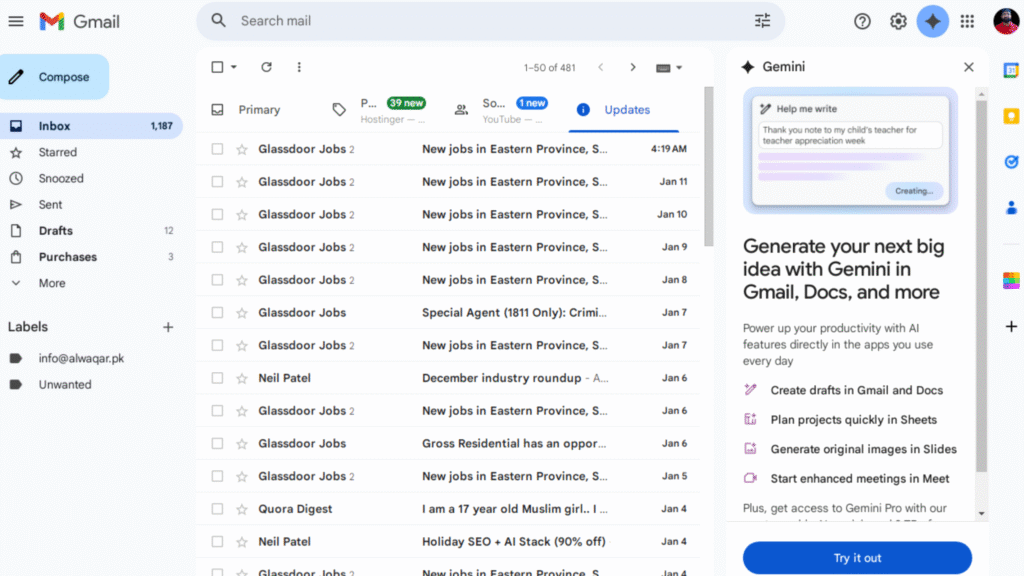
Google AI Inbox for Gmail is an experimental feature that reimagines the traditional inbox experience. Rather than displaying emails as a simple chronological list, the system analyzes content and presents information in a more meaningful and actionable format.
The AI examines emails to understand context, urgency, topics, and requests. It then generates summaries, highlights tasks, groups related messages, and surfaces important information at the top of the inbox.
The goal is not to replace email but to help users process information more efficiently.
Imagine opening your inbox and immediately seeing:
- Important tasks requiring attention
- Summaries of long conversations
- Grouped discussions on related topics
- Priority messages identified by AI
- Suggested next actions
This approach shifts email from being a passive storage system into an active productivity assistant.
Why Traditional Email Management Needs Improvement
Most people spend a significant portion of their workday dealing with email. Studies consistently show that professionals check their inboxes dozens of times per day.
The problem is not necessarily the volume of messages. The challenge is determining which emails matter most and what actions are required.
Common email frustrations include:
- Missing important messages
- Forgetting follow-up actions
- Spending excessive time searching for information
- Managing multiple email threads
- Organizing newsletters and updates
- Prioritizing urgent requests
Google AI Inbox for Gmail attempts to solve these challenges by reducing the effort required to process information.
Instead of forcing users to review every message manually, the system helps identify what deserves attention first.
How Does Google AI Inbox for Gmail Work
The AI Inbox uses advanced machine learning and natural language processing technologies to understand email content.
When emails arrive, the system analyzes factors such as:
- Subject lines
- Message content
- Conversation history
- Sender importance
- Deadlines
- Action requests
- User behavior patterns
Based on this analysis, Gmail creates an AI-powered dashboard that presents information in a more useful format.
The system continuously learns from user interactions, helping improve recommendations and prioritization over time.
This allows Gmail to become increasingly personalized and effective.
AI-Generated Email Summaries
One of the most impressive features is AI-generated summaries.
Many email conversations become lengthy and difficult to follow. Multiple participants, long message chains, and repeated discussions can create confusion.
Instead of reading every email individually, users receive concise summaries highlighting:
- Key discussion points
- Decisions made
- Deadlines
- Requests
- Important updates
This feature can save substantial time while ensuring users stay informed.
For busy professionals handling hundreds of emails each week, summarized conversations may become one of the most valuable productivity enhancements.
Smart Task Suggestions
Email often functions as an unofficial task manager.
People receive requests, reminders, approvals, invitations, and deadlines through their inboxes every day.
The challenge is remembering what requires action.
Google AI Inbox for Gmail automatically identifies actionable content and converts it into suggested tasks.
Examples include:
- Responding to client requests
- Reviewing attached documents
- Scheduling meetings
- Completing approvals
- Following up on conversations
Instead of manually creating reminders, users receive intelligent suggestions generated directly from email content.
This helps bridge the gap between communication and productivity.
Intelligent Topic Grouping
Traditional inboxes display emails individually.
The AI Inbox takes a different approach by grouping related messages into topics.
For example, emails about:
- Travel plans
- Financial statements
- Subscription services
- Project discussions
- Customer communications
can be clustered together automatically.
This contextual organization reduces clutter and improves navigation.
Users can quickly understand ongoing conversations without jumping between multiple email threads.
The result is a cleaner and more structured inbox experience.
How Google AI Inbox Improves Productivity
Productivity improvements are one of the primary reasons behind the development of AI-powered inbox management.
The feature helps users:
- Spend less time sorting emails
- Identify priorities faster
- Reduce decision fatigue
- Minimize missed tasks
- Process information efficiently
- Stay organized
Many professionals lose valuable time every day simply deciding what to read next.
AI reduces this burden by surfacing the most relevant information first.
This creates a smoother workflow and allows users to focus on meaningful work.
Reducing Cognitive Overload
Modern inboxes often contain a mixture of:
- Work conversations
- Newsletters
- Receipts
- Notifications
- Promotional emails
- Personal messages
Sorting through this information requires mental effort.
Google AI Inbox for Gmail reduces cognitive overload by organizing information automatically.
Users no longer need to constantly evaluate every message.
Instead, AI helps identify what deserves immediate attention.
This creates a more focused and less stressful email experience.
The Connection Between AI Inbox and Inbox Zero
Inbox Zero has become a popular productivity philosophy.
The goal is maintaining an organized inbox with minimal unread messages and unresolved tasks.
However, achieving Inbox Zero often requires significant effort.
Google AI Inbox for Gmail supports this objective by:
- Highlighting priorities
- Tracking action items
- Summarizing discussions
- Organizing conversations
Rather than manually managing every message, users receive intelligent assistance.
This makes Inbox Zero more realistic for busy professionals.
Consumer Gmail Users and Early Testing
At present, Google AI Inbox for Gmail remains in an experimental phase.
Access is limited to a relatively small group of consumer Gmail users.
This testing period allows Google to gather feedback and improve performance before wider deployment.
Early testing helps identify:
- Accuracy issues
- User preferences
- Interface improvements
- Workflow challenges
- Privacy concerns
Google has historically used gradual rollouts to refine major Gmail features.
The AI Inbox appears to be following a similar path.
Why Google Is Taking a Careful Approach
Email is deeply personal.
Users trust Gmail with sensitive communications, financial information, and professional discussions.
Because of this, Google must ensure that AI recommendations are both accurate and reliable.
A poorly summarized email could create confusion.
A missed task could impact productivity.
An incorrect priority recommendation could frustrate users.
The limited rollout allows Google to improve performance before broader adoption.
Privacy and Security Considerations
Whenever AI analyzes personal communication, privacy becomes a major topic.
Many users naturally ask whether AI-generated features compromise security.
Google states that Gmail’s AI tools operate within existing security frameworks.
However, transparency remains important.
Users want to understand:
- How emails are processed
- How summaries are generated
- How information is stored
- How privacy is protected
Trust will play a major role in determining how widely AI Inbox features are adopted.
The Benefits of AI-Powered Email Organization
Several advantages make AI-powered inbox management attractive.
These include:
Faster Email Processing
Users can review summaries instead of reading every message.
Better Prioritization
Important emails receive greater visibility.
Improved Task Management
Actionable items are highlighted automatically.
Enhanced Organization
Related emails are grouped intelligently.
Time Savings
Less effort is required to navigate large inboxes.
Together, these benefits create a more efficient communication experience.
Potential Challenges of AI Inbox Technology
Despite its promise, AI-powered email management is not perfect.
Several challenges remain.
Accuracy Concerns
Summaries may occasionally miss important details.
User Trust
Some users prefer reviewing emails themselves.
Workflow Differences
Not everyone manages email in the same way.
Information Interpretation
AI may misunderstand context in complex conversations.
These challenges highlight the importance of balancing automation with user control.
Could AI Inbox Replace Traditional Email Views
Probably not entirely.
Many users appreciate the simplicity of chronological email lists.
Others may prefer AI-driven organization.
The most likely outcome is flexibility.
Users may be able to switch between:
- Traditional inbox view
- AI-powered dashboard view
- Custom organizational layouts
Providing multiple options ensures that Gmail can support different work styles.
What Does This Mean for Businesses
Although AI Inbox is currently focused on consumer accounts, its implications for businesses are significant.
Organizations constantly seek ways to improve productivity.
An AI-powered inbox could help employees:
- Respond faster
- Miss fewer tasks
- Improve communication
- Manage workloads effectively
If successful, AI Inbox technology could eventually become a standard feature across enterprise email systems.
The Future of AI in Email Management
The introduction of Google AI Inbox for Gmail reflects a broader shift in software design.
Technology is becoming more proactive.
Instead of waiting for user commands, modern systems increasingly anticipate needs and provide assistance automatically.
Future developments may include:
- More advanced summaries
- Better task automation
- Predictive email responses
- Enhanced scheduling support
- Deeper integration with productivity tools
As AI capabilities continue to improve, email could become significantly more intelligent and user-friendly.
Why This Innovation Matters
Google AI Inbox for Gmail is more than a new feature.
It represents a new philosophy of information management.
For years, email platforms focused on storing messages.
Now the focus is shifting toward understanding messages.
That distinction matters because information overload continues to grow.
People need tools that help them process information, not simply collect it.
AI-powered inbox management represents a meaningful step toward that goal.
How WorldStan.com Views This Development
At WorldStan.com, we believe artificial intelligence should simplify everyday technology rather than complicate it.
Google AI Inbox for Gmail demonstrates how AI can address real-world productivity challenges that millions of people experience daily.
The ability to summarize conversations, identify tasks, and organize information has the potential to save time and reduce stress for users around the world.
While the technology remains in its early stages, it provides a strong indication of where email management is heading in the coming years.
The future of communication is not necessarily about receiving fewer emails. It is about understanding and acting on them more intelligently.
Conclusion
Google AI Inbox for Gmail offers an exciting glimpse into the future of digital communication. By combining artificial intelligence with email management, Google is attempting to transform the inbox from a simple message repository into a smart productivity hub. Features such as AI-generated summaries, task suggestions, and intelligent topic grouping have the potential to save time, improve organization, and reduce information overload.
Whether users fully embrace this new approach remains to be seen. Some will appreciate the convenience and automation, while others may continue to prefer traditional inbox management. Regardless of personal preference, one thing is clear: AI is becoming a central part of how people interact with information.
As development continues, Google AI Inbox for Gmail could become one of the most influential advancements in email productivity. WorldStan.com will continue monitoring these innovations and providing practical insights to help readers understand how emerging technologies affect everyday life and work.