

AI Cinematography Controlling Camera Angles with Text
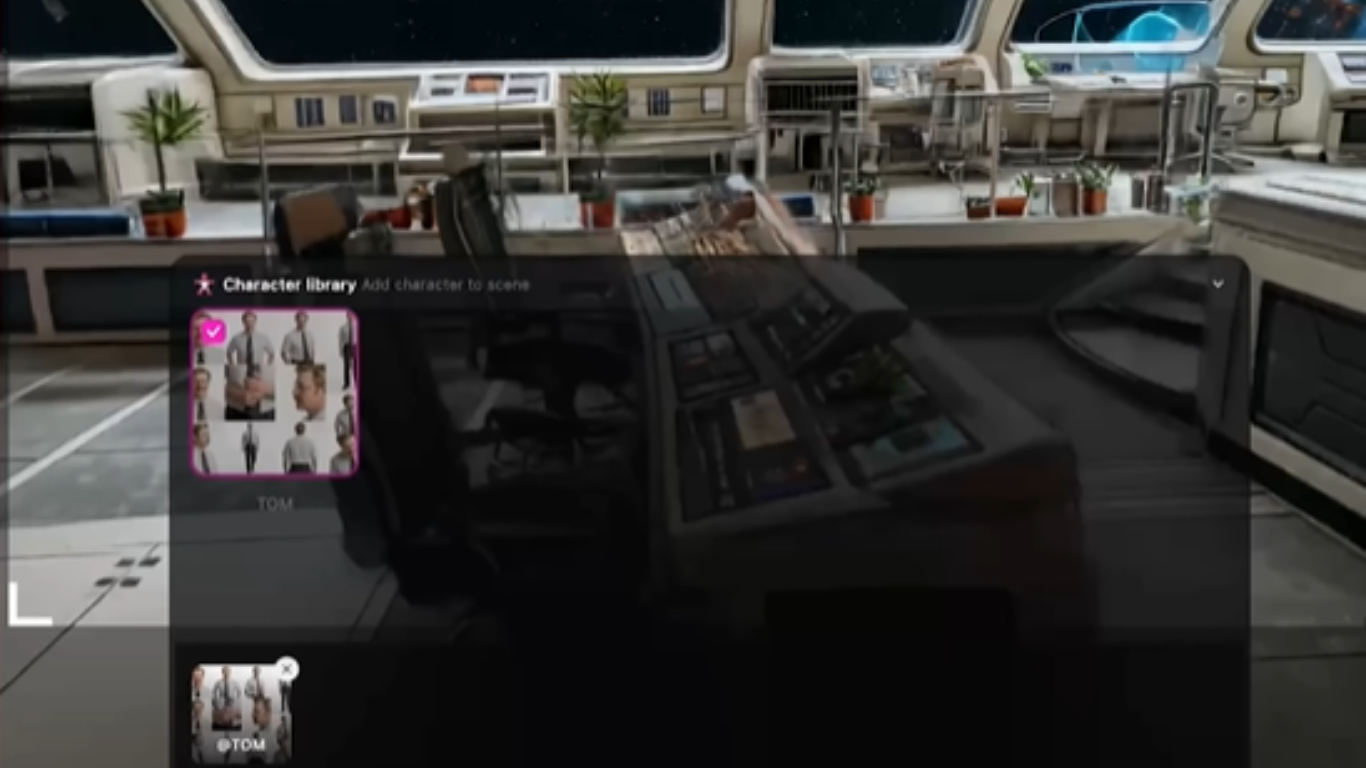
AI cinematography is changing video production faster than most creators expected. This article explores how simple text prompts now control cinematic camera angles, scene movement, and storytelling direction, helping creators produce film style visuals without traditional filming equipment.
Introduction
When I first explored AI cinematography, I honestly thought it would be just another flashy tool that looked good in demos but failed in real work. But after testing real workflows, I realized something different. Today, controlling camera angles with text is not a theory anymore. It is becoming a practical method for creators who want cinematic results without expensive gear or complex setups. In this guide, I will walk you through how AI video production is changing the way we think about directing scenes, and why text is now acting like a camera remote in filmmaking.
AI Cinematography The Shift From Physical Cameras to Text Control
AI cinematography has changed the meaning of directing. Earlier, a filmmaker needed a camera operator, a rig, and technical control over lenses. Now, the same control can be described in words. When you type something like “slow dolly in toward the subject with soft lighting,” the AI interprets it and builds the motion.
In my experience, this shift is not just about convenience. It changes creativity itself. You stop thinking like a technician and start thinking like a storyteller. The camera becomes invisible, and the idea becomes the center.
For instance, I experimented with a basic prompt that described a rainy street scene.
Instead of adjusting angles manually, I wrote how I wanted the viewer to feel: “low angle shot, moving through wet streets, reflections glowing softly.” The result felt surprisingly cinematic, even though no physical camera was involved.
AI Video Production How Text Becomes the Director
AI video production works like a translation layer between imagination and visuals. You give instructions in plain language, and the system builds motion, framing, and timing.
Let me explain this in the clearest, simplest terms. The text you write acts like a director’s voice on set. If you say “wide shot of a lonely character walking slowly,” the AI understands distance, emotion, and movement.
What makes this powerful is consistency. You do not need technical knowledge of lenses or camera physics. You only need clarity in describing the scene.
From my perspective, this lowers the barrier for storytelling. I have seen beginners create scenes that look like short films within hours. That would have been nearly impossible just a few years ago.
Controlling Camera Angles with Text The Real Breakthrough
This is where things become truly interesting. Controlling camera angles with text means you can define perspective without touching a camera.
For example:
- “top-down aerial view of a city at night”
- “close-up shot with shallow depth of field”
- “tracking shot following a running character”
Each of these phrases tells the AI how to position the virtual camera.
I personally find this useful when building storyboards. Instead of sketching frames manually, I test different angles using text prompts. It saves time and helps me explore creative options faster.
The merit here is flexibility. You can experiment endlessly without cost. If a shot does not work, you simply rewrite the text.
AI Cinematic Prompts Why Words Matter More Than Tools
In traditional filmmaking, tools define output. In AI cinematography, words define output.
This is why cinematic prompt writing is becoming a skill. The better your description, the better your visual result.
For instance, saying “dramatic sunset scene” is too vague. But saying “golden hour sunlight hitting a desert road, slow camera pan, dust particles floating in air” gives structure.
In my experience, the difference between average and stunning AI video is not the tool. It is the quality of the prompt.
This is also where AI video production becomes more personal. Your writing style directly shapes your visual identity.
Real-World Use Cases of AI Video Production
Let’s talk about practical usage, not theory.
One of my recent experiments involved creating product visuals for a small brand. Instead of hiring a production team, I used AI video tools and described each scene in text. I controlled camera angles like I was directing a real shoot.
Another example is educational content. You can simulate historical scenes, scientific explanations, or storytelling videos without physical sets.
The biggest merit is speed. What used to take days can now be tested in minutes.
However, I also noticed something important. AI does not replace creative thinking. It amplifies it. If your idea is weak, the output will still feel empty.
AI Video Tools and Their Growing Power
Modern AI video tools are becoming more advanced each month. Platforms inspired by systems like Runway Gen-3, Sora AI video generation models, and Luma AI are pushing realism closer to film-level output.
But here is what most people miss. The tool itself is not the advantage. The real advantage is how you communicate with it.
I often compare it to photography in its early days. The camera was not the art. The photographer was.
The same is happening here. AI cinematography depends on how well you think visually in words.
Cinematic Storytelling with AI A New Creative Language
AI video production is building a new kind of language. It sits between writing and filmmaking.
When I create scenes, I do not think in technical terms anymore. I think in terms of emotion, motion, and perspective.
For example:
- “slow emotional zoom into character’s eyes”
- “handheld shaky movement during tension”
- “wide cinematic silence before action”
These are not just instructions. They are emotional directions.
This is where AI filmmaking becomes powerful. It allows even non-technical creators to express cinematic ideas clearly.
Practical Solutions for Better AI Cinematography
If you want better results, here is what I personally follow:
First, always describe movement before details. Motion is what makes scenes alive.
Second, avoid vague words. Replace them with visual specifics.
Third, test multiple angles of the same idea. AI responds differently each time.
Fourth, think like a director, not a user. You are guiding a camera, not typing commands.
These simple habits drastically improve output quality.
Merits and Limitations of Text-Based Camera Control
The biggest merit is accessibility. Anyone can create cinematic visuals without expensive equipment.
Another advantage is speed. Idea testing becomes instant.
But there are limitations too. Sometimes AI misinterprets complex scenes. Also, emotional depth still depends on human creativity.
In my opinion, this balance is important. AI is not replacing filmmaking. It is reshaping how we begin the creative process.
Conclusion
AI cinematography: controlling camera angles with text is not just a technical shift. It is a creative one. It changes how we think about storytelling, direction, and visual imagination. Instead of learning complex tools first, creators now start with ideas and language.
From my perspective, this is where the future of AI video production is heading. It is not about replacing filmmakers. It is about giving more people the ability to think like filmmakers.
And this entire perspective, shared through real experimentation and practical understanding, is part of the exclusive approach delivered by the Worldstan platform, where creative technology is explained in a human and usable way.