

PocketAI AI Assistant Complete Guide for Beginners
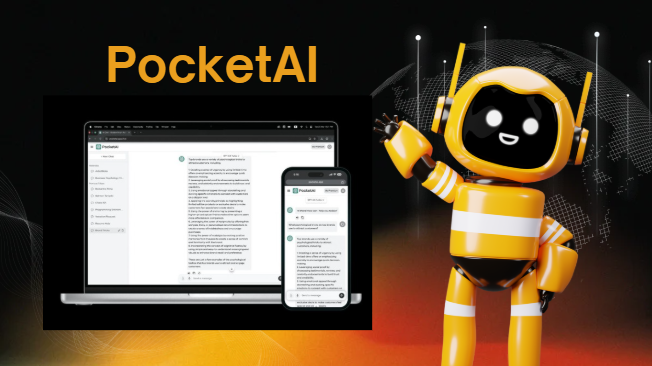
Artificial intelligence is changing how people study, work, and create content every day. In this guide, you will discover how PocketAI AI Assistant combines writing tools, image generation, and smart productivity features into one easy platform that helps students, professionals, and creators save time and become more productive.
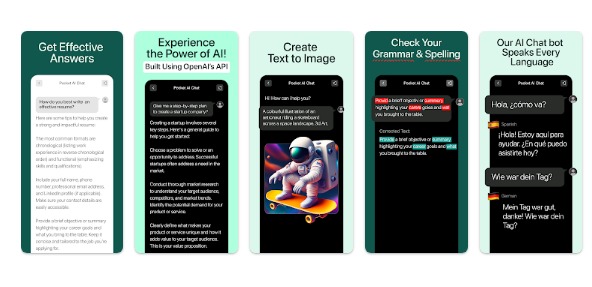
PocketAI AI Assistant Review 2026 Features, AI Tools, Benefits and Complete Guide
Introduction
Artificial intelligence is no longer reserved for technology experts or large corporations. Today, AI has become part of everyday life, helping millions of people complete tasks faster and more efficiently. PocketAI AI Assistant is one example of this transformation. It is designed to place powerful AI capabilities directly into your hands through a simple and accessible platform.
Imagine having an intelligent assistant available anytime you need help. Whether you want to write an email, summarize notes, generate an image, organize a project, or brainstorm creative ideas, PocketAI allows you to do all these activities from one application.
Many people struggle with managing multiple subscriptions and switching between different applications. PocketAI attempts to solve this issue by bringing various AI services together in a single workspace.
This comprehensive guide from worldstan.com will explain everything about PocketAI AI Assistant, including its features, AI technology, advantages, limitations, pricing, practical applications, and future possibilities.
What Is PocketAI AI Assistant
PocketAI AI Assistant is an all in one artificial intelligence platform that combines productivity, creativity, and smart assistance into a single application.
It serves as a digital companion that helps users perform various daily activities without needing multiple separate tools.
PocketAI is designed for several types of users, including:
Students
Teachers
Business owners
Freelancers
Content creators
Marketing professionals
Office employees
Researchers
Designers
The primary objective of PocketAI is to simplify complicated tasks through AI powered automation.
Users can generate written content, create visual images, upload documents, organize projects, and receive instant intelligent responses.
How Does PocketAI AI Assistant Work
PocketAI works by integrating advanced large language models and image generation systems.
When a user enters a request, the system analyzes the information, understands the context, and generates a suitable response within seconds.
The process includes several stages.
User Input
The user types a question, instruction, or request.
AI Analysis
The system studies the text and identifies the user’s intention.
Data Processing
The AI model processes billions of parameters to generate accurate information.
Response Generation
PocketAI provides a human like answer, image, summary, or solution.
Continuous Learning
The system improves its performance through regular updates.
This entire process happens almost instantly, creating a smooth experience for users.
The Role of Artificial Intelligence Inside PocketAI
Artificial intelligence is the engine that powers every feature inside PocketAI.
Instead of simply responding to commands, the AI understands language patterns, context, and user intentions.
Several AI technologies work together.
Natural Language Processing
This technology enables PocketAI to understand human language.
Machine Learning
Machine learning allows the system to improve over time.
Generative AI
Generative AI can generate fresh text, images, and innovative ideas from existing information.
Predictive Intelligence
The platform can anticipate user needs based on instructions.
Document Analysis
The AI can extract important information from uploaded files.
These technologies work together to create a seamless user experience.
How AI Writing Features Help Users
Writing is one of the most commonly used PocketAI functions.
Users can generate various forms of content.
Professional emails
Blog articles
Reports
Social media captions
Business proposals
Research summaries
Presentations
Study notes
Marketing copy
Job applications
The AI understands tone and adjusts accordingly.
For example, if a user requests a professional email, PocketAI produces formal language. If a user requests a social media caption, the AI creates a more casual style.
This flexibility saves significant time.
How AI Image Generation Works Inside PocketAI
Image generation is another popular feature.
Users simply describe what they want.
Examples include:
Business logos
Portraits
Social media graphics
Product concepts
Website banners
Illustrations
Marketing designs
The AI converts text descriptions into images within seconds.
This process is especially useful for people without graphic design experience.
Content creators can produce visuals without hiring professional designers.
PocketAI Features That Make It Stand Out
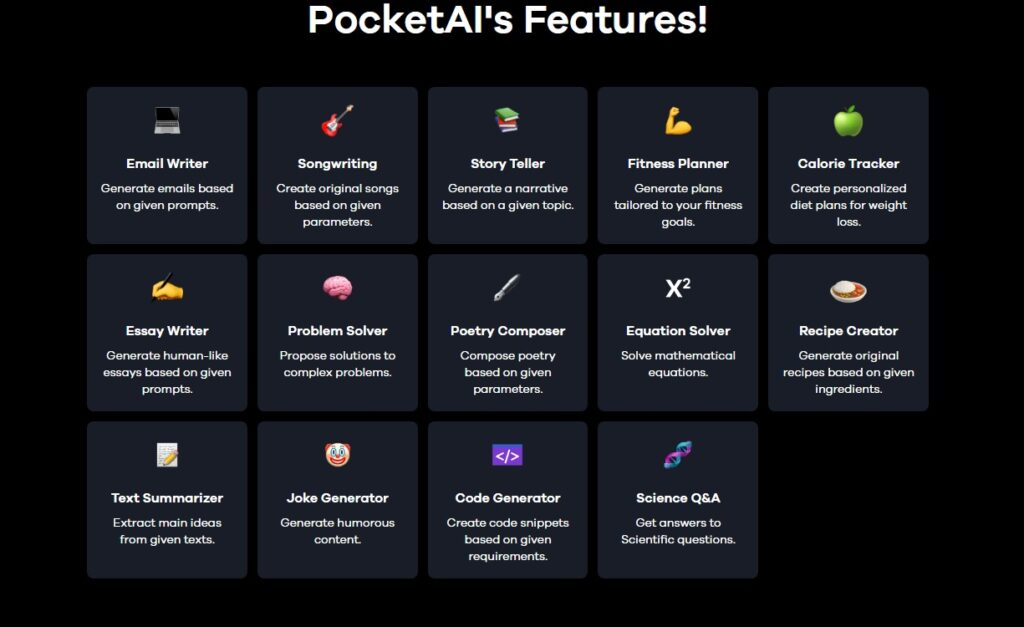
PocketAI includes numerous practical features.
Writing assistant
AI image generation
Document uploading
Smart summaries
Project planning
Idea brainstorming
Multiple AI models
Expert prompts
Cross platform support
Educational assistance
Creative tools
Affordable subscriptions
These features allow users to accomplish more work inside one application.
Why Are Students Using PocketAI
Students often have limited time and resources.
PocketAI helps them manage their academic workload more effectively.
Students use PocketAI for:
Research assistance
Assignment organization
Study guides
Presentation creation
Essay planning
Topic explanations
Note summarization
Language improvement
Time management
The application acts like a virtual study partner.
Why Do Professionals Prefer PocketAI
Professionals need efficiency.
PocketAI helps reduce repetitive tasks.
Professionals use it for:
Email drafting
Meeting summaries
Project planning
Report generation
Marketing campaigns
Customer communication
Presentation outlines
Data organization
Business brainstorming
This allows employees to focus on strategic decisions instead of repetitive activities.
Multi Platform Accessibility Makes PocketAI Convenient
PocketAI works across multiple devices.
iPhone
Android devices
Desktop browsers
Laptop computers
Tablet devices
This flexibility allows users to continue their work anywhere.
A project started on a smartphone can be completed later on a desktop.
PocketAI Pricing and Affordability
Many users appreciate PocketAI because it combines several tools into one subscription.
Instead of paying separately for writing software, design tools, and productivity applications, users receive bundled services.
Basic plans reportedly begin around 4.99 dollars per month.
Pricing may vary depending on location and selected features.
Before buying, confirm the current pricing by reviewing trusted official information.
Benefits of Using PocketAI Every Day
PocketAI offers several practical advantages.
Time saving
Cost effective
Easy to use
Creative support
Productivity enhancement
Centralized workspace
Fast responses
User friendly interface
Flexible accessibility
Continuous improvements
These benefits explain why the platform continues to grow.
Potential Limitations Users Should Know
No AI tool is perfect.
PocketAI also has some limitations.
AI generated information may occasionally require verification.
Internet connectivity is necessary.
Complex topics may need human review.
Generated content should be edited before publishing.
Privacy awareness remains important.
Users should always verify important information.
Is PocketAI Safe to Use
PocketAI prioritizes user experience and security.
However, users should follow safe practices.
Avoid uploading highly confidential information.
Use strong passwords.
Enable security features if available.
Review privacy policies regularly.
Security is a shared responsibility between the company and users.
PocketAI Compared to Traditional Productivity Tools
Traditional tools usually perform one task.
PocketAI combines multiple tasks together.
Traditional software:
One purpose
Multiple subscriptions
Separate interfaces
Higher costs
PocketAI:
Unified platform
Single workspace
Lower expenses
Integrated features
Simplified workflow
This integration improves efficiency.
Future of PocketAI AI Assistant
Artificial intelligence continues evolving rapidly.
Several improvements may appear in future versions.
More personalized assistance
Voice interactions
Better image quality
Real time collaboration
Enhanced automation
Smarter recommendations
Advanced business tools
Improved educational support
PocketAI will likely become even more intelligent over time.
Why PocketAI Is Becoming Popular Worldwide
Its popularity is increasing because users want simplicity.
People no longer want to manage numerous applications.
PocketAI offers convenience.
One platform
Multiple functions
Affordable pricing
Fast performance
User friendly design
Wide accessibility
This combination appeals to modern users.
Should You Use PocketAI AI Assistant
If you regularly write content, study, manage projects, or create visuals, PocketAI can be useful.
It is particularly valuable for people seeking efficiency without technical complexity.
The platform is suitable for beginners and experienced users alike.
Ultimately, individual needs will determine whether PocketAI is the right solution.
Conclusion
PocketAI AI Assistant represents a new generation of digital productivity platforms that combine creativity, intelligence, and convenience into one accessible environment. Instead of forcing users to switch between numerous applications, it centralizes essential tools that support writing, learning, planning, and visual creation. This simplicity makes it attractive for students, professionals, and creators alike.
At worldstan.com, we believe the future of productivity will be driven by intelligent platforms that reduce complexity and help people focus on meaningful work. PocketAI is moving in that direction by offering practical AI solutions that are affordable, easy to use, and adaptable to different lifestyles. As artificial intelligence continues to evolve, platforms like PocketAI will become valuable companions that help people work smarter, learn faster, and unlock new creative possibilities every day.