
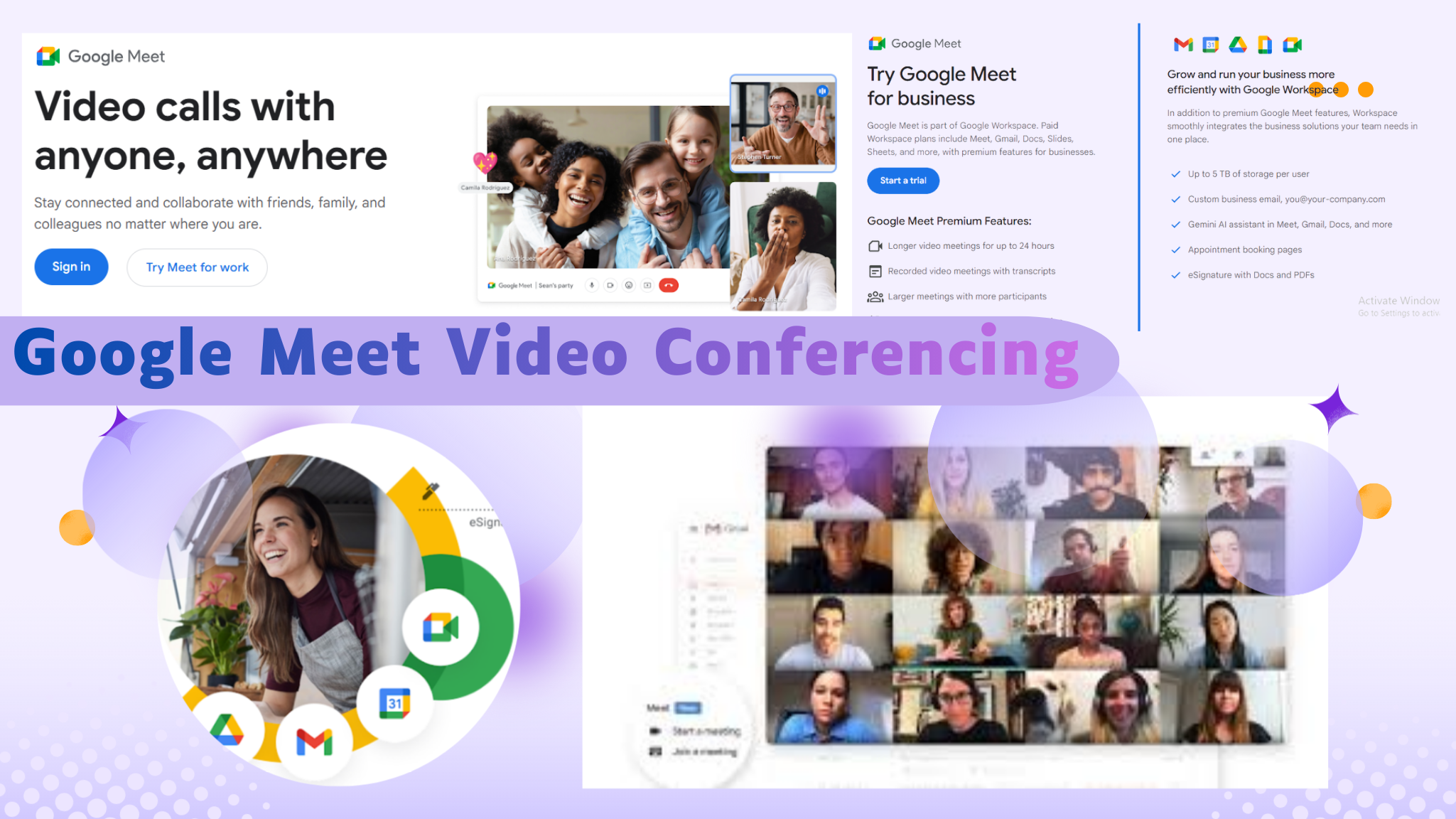
This article explores how Google Meet video conferencing has evolved into a secure, AI-driven collaboration platform, examining its features, underlying technology, enterprise use cases, and role in shaping modern remote communication.
Google Meet Video Conferencing: Evolution, Technology, and Its Role in Modern Digital Collaboration
Introduction:
Digital communication has undergone a fundamental transformation over the past decade. What began as simple audio calls and text-based messaging has evolved into sophisticated video communication services capable of supporting global collaboration in real time. At the center of this evolution stands Google Meet video conferencing, a platform that has steadily matured into a core component of modern online meeting infrastructure.
As remote work tools, collaboration software, and secure video conferencing platforms become essential for businesses, educators, and distributed teams, Google Meet has positioned itself as a reliable and scalable online meeting platform. Backed by Google Workspace and supported by advanced web technologies, the service reflects a broader industry shift toward AI-powered features, low-latency communication, and cross-device accessibility.
This report explores Google Meet’s development, technical foundation, feature set, platform compatibility, and its growing relevance in enterprise video conferencing, education, and remote collaboration environments.
From Experimental Tool to Enterprise-Grade Platform
Google’s journey in video communication did not begin with Google Meet. Earlier services such as Google Hangouts and Google Duo laid the groundwork for consumer and business-focused video calls. Hangouts emphasized messaging and group communication, while Duo focused on lightweight, mobile-first audio-video calls.
Google Meet emerged as a more structured and secure solution, initially targeting enterprise users within Google Workspace. Over time, it evolved into a full-scale video conferencing app capable of supporting organizations of all sizes, educational institutions, and individual users. The transition marked a shift from casual communication to enterprise-ready virtual meeting environments.
This evolution accelerated dramatically during the period of pandemic video conferencing growth, when remote collaboration tools became a necessity rather than a convenience. Google Meet scaled rapidly to meet global demand, reinforcing its role as a serious competitor in the broader landscape of Zoom competitors and enterprise collaboration platforms.
Core Functionality and Communication Capabilities
At its foundation, Google Meet is designed to support seamless video calls and audio-video calls with minimal setup and consistent performance. The platform emphasizes reliability, clarity, and accessibility, ensuring that meetings can take place across varying network conditions and devices.
Key communication features include:
- High-definition video conferencing with adaptive resolution
- Stable audio performance optimized for speech
- Screen sharing for presentations, demonstrations, and collaborative work
- Meeting recording for documentation and compliance needs
These features form the baseline expectations of any modern video communication service. However, Google Meet extends beyond basic functionality by integrating intelligent enhancements that improve meeting quality and participant experience.
AI-Powered Enhancements and Smart Meeting Features
One of the defining characteristics of Google Meet video conferencing is its integration of AI-powered features. These capabilities are designed to reduce friction, enhance clarity, and make meetings more inclusive and productive.
Live captions allow participants to follow conversations in real time, improving accessibility for users with hearing challenges or those in noisy environments. Real-time translation further expands inclusivity by enabling multilingual meetings, a feature increasingly valuable for global teams and international education platforms.
Noise cancellation uses machine learning to filter out background disturbances such as keyboard typing, traffic, or ambient office sounds. Low-light video enhancement adjusts visual quality in poor lighting conditions, ensuring participants remain visible even without professional setups.
Virtual backgrounds offer both functional and aesthetic value, allowing users to maintain privacy or present a professional appearance regardless of their physical surroundings. Together, these features demonstrate how artificial intelligence is becoming integral to modern collaboration software.
Security, Privacy, and Trust in Digital Meetings
As video conferencing platforms become central to business and education workflows, concerns around security and data protection have intensified. Google Meet addresses these concerns through multiple layers of protection designed to support secure video conferencing.
Call encryption is applied by default, safeguarding audio and video streams from unauthorized access. Meeting hosts have control over participant entry, screen sharing permissions, and recording access, reducing the risk of disruption or data leakage.
For enterprises operating in regulated industries, these safeguards are particularly important. Google Meet’s alignment with Google Workspace security standards reinforces its credibility as a platform suitable for business video meetings, corporate governance, and institutional use.
Cross-Platform Accessibility and Device Support
A critical factor in Google Meet’s adoption is its broad platform compatibility. The service is accessible through the Google Meet web app, eliminating the need for software installation on desktop devices. This browser-based approach lowers barriers to entry and simplifies participation for external collaborators.
Mobile users are supported through dedicated Google Meet for Android and Google Meet for iOS applications, optimized for performance and usability on smartphones and tablets. These apps enable on-the-go participation without sacrificing essential features.
Beyond personal devices, Google Meet on smart TV and Google Meet hardware solutions extend the platform into conference rooms and shared workspaces. Meet Series One hardware, developed in collaboration with partners, offers integrated cameras, microphones, and displays tailored for professional meeting environments.
This device-agnostic strategy ensures continuity across use cases, from individual check-ins to large-scale enterprise meetings.
Technical Architecture and Media Optimization
Behind the user-facing simplicity of Google Meet lies a sophisticated technical infrastructure designed for efficiency, scalability, and resilience. The platform relies heavily on WebRTC, an open framework that enables real-time communication directly within web browsers.
Media compression and transmission are optimized through advanced codecs, including VP8 codec, VP9 codec, and AV1 codec for video, alongside Opus audio codec and Lyra speech codec for audio processing. These technologies balance quality and bandwidth usage, making Google Meet effective even in low-connectivity environments.
The QUIC protocol enhances data transport by reducing latency and improving reliability over traditional network protocols. Combined with low-bandwidth optimization techniques, these technologies allow meetings to remain stable across diverse network conditions, from high-speed enterprise connections to constrained home networks.
Google Meet Within the Google Workspace Ecosystem
Google Meet’s value increases significantly when used as part of Google Workspace. Integration with Gmail, Google Calendar, Google Drive, and Google Docs streamlines scheduling, document sharing, and post-meeting collaboration.
Meetings can be created directly from calendar events, with automatic links generated for participants. Files stored in Drive can be shared during meetings, while collaborative documents can be edited in real time alongside video discussions.
This ecosystem-driven approach distinguishes Google Meet from standalone video conferencing apps. Rather than functioning as an isolated tool, it operates as a central node within a broader productivity environment.
Use Cases Across Business, Education, and Remote Work
The versatility of Google Meet video conferencing is reflected in its wide range of use cases. In enterprise settings, it supports leadership briefings, client presentations, internal training sessions, and cross-functional collaboration.
For remote work tools, Google Meet enables distributed teams to maintain consistent communication, reducing isolation and improving alignment. Its reliability and ease of access make it suitable for daily stand-ups as well as strategic planning sessions.
In education, Google Meet serves as an education video platform for virtual classrooms, lectures, and academic collaboration. Features such as live captions, recording, and screen sharing enhance learning outcomes while supporting accessibility requirements.
These varied applications highlight the platform’s adaptability across sectors.
Market Position and Competitive Landscape
The rise of video conferencing during global disruptions reshaped the competitive landscape. Google Meet vs Zoom became a frequent comparison as organizations evaluated platforms based on scalability, ease of use, and integration capabilities.
While Zoom gained early visibility during periods of rapid adoption, Google Meet leveraged its integration with Google Workspace and its web-based architecture to capture a significant share of the market. As one of the leading Zoom competitors, Google Meet emphasizes security, browser-native access, and AI-driven enhancements.
Rather than competing solely on feature parity, Google Meet differentiates itself through ecosystem integration and long-term enterprise alignment.
Performance, Reliability, and Scalability
Scalability is a defining requirement for any enterprise video conferencing solution. Google Meet benefits from Google’s global cloud infrastructure, enabling it to handle sudden surges in usage without compromising performance.
Automatic adjustments to video quality, audio prioritization, and network routing ensure consistent experiences even as participant counts increase. This reliability is particularly important for large organizations conducting town halls, webinars, or cross-regional meetings.
Meeting recording and cloud storage options further enhance scalability by allowing asynchronous access to content, reducing the need for repeated live sessions.
The Role of Innovation in Future Collaboration
As digital collaboration continues to evolve, expectations around video conferencing platforms are shifting. Users increasingly demand intelligent assistance, deeper integration with workflows, and enhanced inclusivity.
Google Meet’s ongoing investment in AI-powered features suggests a roadmap focused on automation, contextual awareness, and improved human interaction. Future developments may further refine real-time translation, automate meeting summaries, and enhance participant engagement analytics.
These innovations align with broader trends in collaboration software, where platforms are expected to support not just communication, but decision-making and productivity.
Challenges and Considerations
Despite its strengths, Google Meet faces ongoing challenges common to the video conferencing industry. User expectations continue to rise, competition remains intense, and concerns around digital fatigue and meeting overload persist.
Balancing feature richness with simplicity is an ongoing design challenge. Additionally, organizations must consider training, governance, and adoption strategies to ensure that video conferencing tools are used effectively rather than excessively.
Addressing these considerations will be key to sustaining long-term value.
Conclusion:
Google Meet video conferencing represents more than a communication tool; it reflects a broader transformation in how people work, learn, and collaborate. By combining reliable video communication services with advanced AI-powered features, robust security, and deep ecosystem integration, Google Meet has established itself as a cornerstone of modern online meeting platforms.
Its adaptability across devices, industries, and use cases positions it well for continued relevance in an increasingly remote and hybrid world. As organizations refine their approaches to digital collaboration, Google Meet stands as a mature, scalable, and forward-looking solution in the evolving landscape of enterprise and educational communication.
FAQs:
1. What makes Google Meet suitable for large-scale video conferencing?
Google Meet is built on Google’s global cloud infrastructure, allowing it to support high participant volumes without sacrificing call quality. Adaptive video resolution, efficient codecs, and intelligent bandwidth management help maintain stable meetings even during peak usage.
2. How does Google Meet handle security during online meetings?
Google Meet applies encrypted communication by default and provides hosts with control over participant access, screen sharing permissions, and recording settings. These measures help organizations conduct secure video conferencing across internal and external meetings.
3. Can Google Meet be used without installing any software?
Yes, Google Meet offers a browser-based experience through its web app, enabling users to join meetings directly without downloads. This approach simplifies access for guests and supports faster onboarding for business video meetings.
4. What role does artificial intelligence play in Google Meet?
Artificial intelligence enhances Google Meet through features such as live captions, background noise reduction, low-light video adjustment, and real-time translation. These AI-powered features are designed to improve clarity, accessibility, and overall meeting efficiency.
5. Is Google Meet suitable for education and virtual classrooms?
Google Meet is widely used as an education video platform, supporting virtual lectures, group discussions, and recorded sessions. Features like screen sharing, captions, and meeting recordings help educators deliver structured and accessible online learning experiences.
6. How does Google Meet compare with other video conferencing platforms?
When compared with Zoom and other competitors, Google Meet differentiates itself through deep integration with Google Workspace, browser-native access, and strong security controls. These factors make it appealing for organizations already using Google’s productivity tools.
7. What devices and platforms are compatible with Google Meet?
Google Meet works across desktop browsers, Android and iOS devices, smart TVs, and dedicated meeting hardware. This broad compatibility supports seamless collaboration in remote work environments, offices, and hybrid meeting spaces.

Prof. Mian Waqar Ahmad
Prof. Mian Waqar Ahmad, a dynamic force straddling the realms of academia and digital media. As a distinguished Lecturer in Information Sciences, he imparts knowledge within the academic sphere, igniting the minds of his students. Beyond the classroom, Prof. Mian Waqar Ahmad dons the hat of a seasoned blogger on Worldstan.com, where his insightful posts delve into the intricacies of information sciences. His digital footprint extends even further as a YouTuber, leveraging the platform to share his expertise and make complex concepts accessible to a global audience. Prof. Mian Waqar Ahmad’s journey embodies the fusion of traditional education and contemporary digital outreach, leaving an indelible mark on the evolving landscape of information sciences. Explore his world at Worldstan.com and witness the convergence of academia and the digital frontier.